
Engaging storytelling can spark a deeper interest. But audio time is limited and not everything can be conveyed through the spoken word. That is why you can now add external links to all kinds of online resources below the player: a blog article, a record in the collection catalogue, or a video on your YouTube channel.
The right resources at the right moment
The greatest strength of external links is their timing. The visitor is standing in the exhibition, listening to the story of a particular artefact. They are engaged, focused and open to learning more. That is exactly the moment when you can offer them further material that builds on the story.
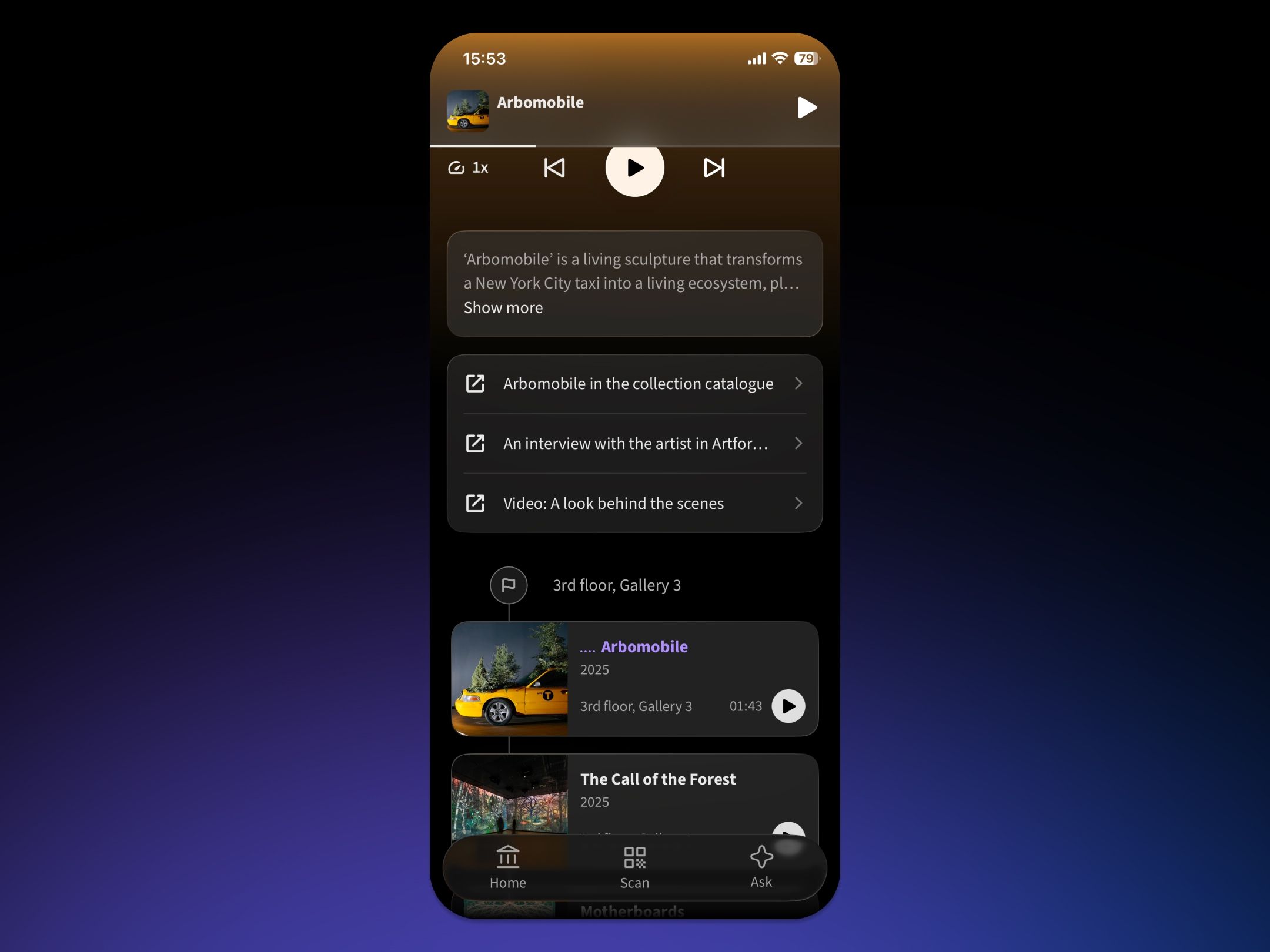
External links appear in the mobile app below the player and the transcript of the story. They can be added to a stop, a route, or a place's introduction.
An external link can lead anywhere you have additional content. For example:
- A catalogue record in your online collection with technical details, provenance, a bibliography and further images of the work
- A scholarly article that explores the topic in depth
- An interview with the artist or an eyewitness on a blog or in an online magazine
- A YouTube video with a conservation report, a time-lapse of the exhibition install, or footage from production
- A downloadable PDF with worksheets for schools, accompanying exhibition texts, or extra material to read at home
- A 3D model of the exhibit or a virtual tour where visitors can view the work from every angle
- A podcast or audio recording of a lecture or a guided tour with the curator
- Audio samples or music connected to the period or the artist
- A shopping link to the museum e-shop where visitors can buy the exhibition catalogue or a reproduction of the work
- A form or booking for a follow-up workshop, guided tour, or educational programme
- Articles and reviews written about the exhibition
Visitors get exactly as much content as they want. Some are happy with the audio story at a stop. Others want to know more and will appreciate a link that takes them straight to the source.
How to add links
You set up external links in Cabinet Studio for a specific stop, route, or place introduction.
- Sign in to Cabinet Studio
- Open the stop, route, or place introduction you want to expand
- In the external links section, add a new item
- Paste the URL and add the title visitors will see
- Save your changes
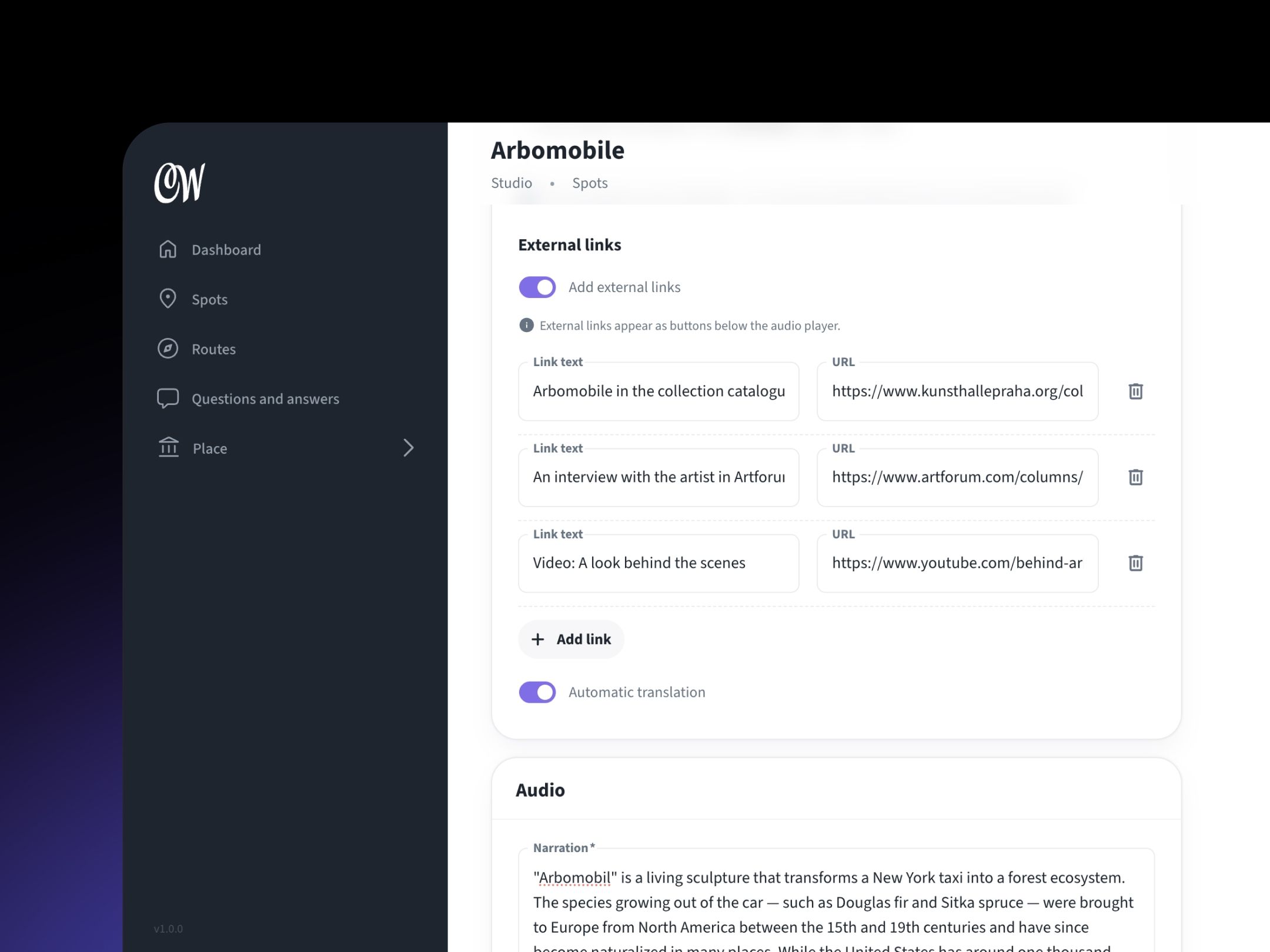
Editing external links in Cabinet Studio.
You can attach several links to a single story. All that matters for each one is that its title clearly says where it leads. “Catalogue record of the work” or “Worksheet for schools” tells visitors far more than the URL itself.
Tip: You can point visitors to the attached links directly in the audio commentary. Just add a sentence at the end of the story such as “You’ll find a detailed catalogue record and a video of the conservation work in the links below the player.” Visitors then know that further resources exist and will find them more easily.
Links in multiple languages
The link title is translated automatically into all the languages of your guide, while the URL itself stays the same. So you don't have to worry about multilingual labels.
But if you want to link to different pages in different languages — for example the English and Czech versions of a catalogue record — turn off automatic translation for that link. You can then set a separate URL for each language.
Good to know
External links lead outside the Cabinet of Wonders app and usually open in a web browser. We therefore recommend linking to pages that work well on mobile. That way visitors move smoothly from the audio commentary to the additional content without unnecessary friction.
The most reliable option is to link to your own resources, the ones you control. It is not just about credibility, but also about technical availability. Content on the web moves around from time to time and links disappear.
A guide that doesn't end at the exhibit
External links connect the exhibition with everything around it: the catalogue, scholarly texts, videos, and materials for schools. Organisations often already have this content ready. Cabinet of Wonders can now bring it straight to visitors at the moment they are most interested in the topic.